

"Would you like a gift bag with that?"
It's one of the oldest tricks in retail, and it works. So when Squarespace added add-on products, a lot of shop owners (and designers like me!) got excited.
And honestly? For some shops, add-ons are perfect.
For others, they turn into a headache about ten minutes after setup. I've seen both. So here's exactly what Squarespace add-ons can do, what they can't, and what I reach for when they don't fit.
Full disclosure: I mention OptionKit near the end, which is a plugin I built. Everything before that is built into Squarespace.
What Are Add-On Products?
Add-ons let you show other products from your store on a product's page, right under the Add To Cart button. Each one shows its name, its price, and an Add button.
So a customer buying a candle sees a gift bag and a greeting card, and can add them with one tap.
Each add-on is a real product. Squarespace charges for it, tracks its stock, and lists it on the order like anything else.
How to Set Them Up
Create each extra as its own product, with a price and an image.
Open your main product and find Add-ons under Selling Tools.
Click Add and choose up to four products.
Click Apply, then save.
That's it. It takes about two minutes.
The Limits (Read These Before You Build)
Here's what I wish someone had told me up front.
Four add-ons per product. That's the maximum.
One variant option at most. An add-on can't have both a Size and a Color.
They have to be public. The add-on can't be a hidden product.
They can be bought alone. If your add-on is "Engraving, $15," someone can buy engraving with nothing to engrave.
They aren't tied to the product. If the customer removes the candle from the cart, the gift bag stays.
They always show. Every add-on shows to every customer. There's no "only show this when..."
Text stays with the add-on. If the add-on asks for a gift message, that message sits on the add-on's line of the order, not on the product it's for.
When Add-Ons Are the Right Tool
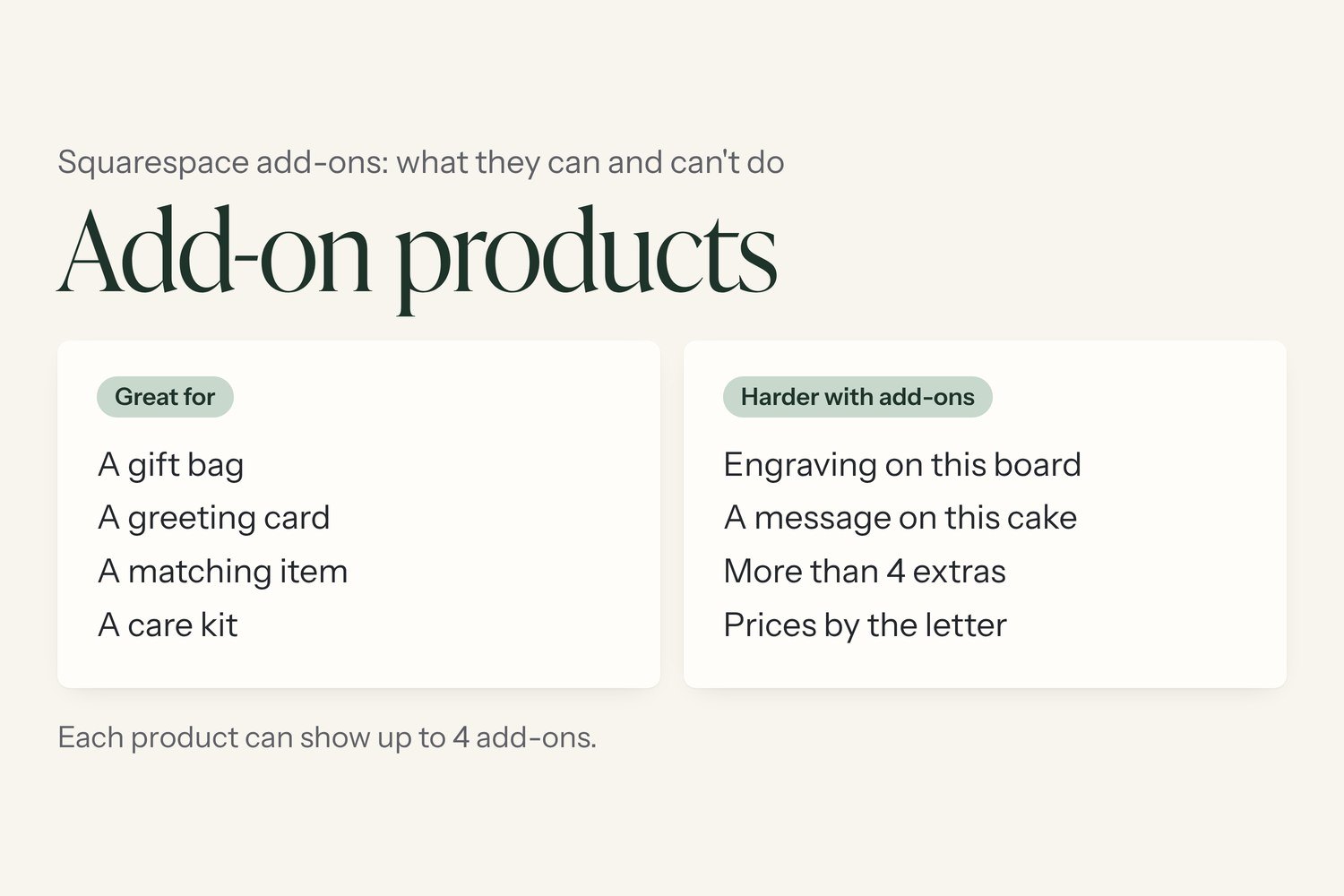
Use add-ons when the extra is a real product someone might buy on its own:
A gift bag
A greeting card
A matching item
A care kit
For those, add-ons are great. They're free, they're built in, and they're fast.
When They Start to Fight You
The trouble starts when the "extra" isn't really a product. It's a choice about this product.
Engraving on this board
Gift wrap on this order
A message on this cake
Now the limits above really hurt. Four isn't enough. The text lands in the wrong place. Nothing is tied together. And you definitely can't charge by the letter.
A Few Workarounds
Keep add-ons out of your shop. Put your add-on products on a second store page under Not Linked, so they're not in your menu. They're still public (they have to be), but customers mostly reach them from the products you attach them to.
Bundle the extra into a variant. "Candle" and "Candle + gift bag." This is fine for one extra. It falls apart with two or three.
Use the product's own form for the words. Add a "Gift message" field to the main product's Add to Cart form, and use an add-on only for the charge.
All three work. All three are a bit of a patchwork.
What I Use for Options With a Price
When an extra is really an option, I use OptionKit. I built it for exactly this.
It shows checkboxes, text fields, buttons, and swatches right on the product page, and each one can have a price. Compared to add-ons:
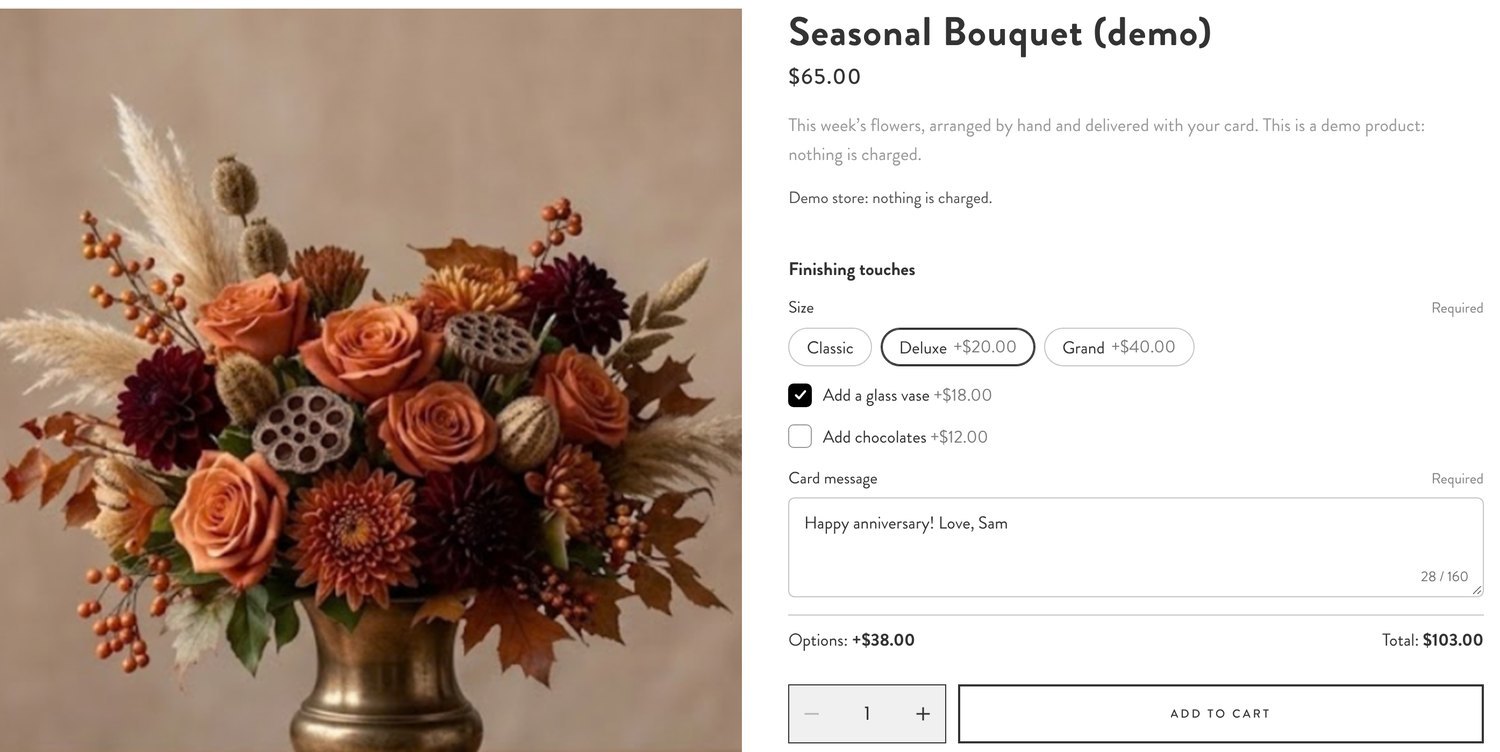
No limit of four. Add as many options as the product needs.
Text stays with the item. "Happy birthday, Mom!" shows on the order next to the right product.
Everything is tied together. Remove the board from the cart and its engraving goes with it.
Options can show only when they apply. The font choice appears after "Add engraving" is checked.
Text can be priced by the letter.
Customers still pay in your normal Squarespace cart and checkout. You can try it on the demo store.
It's free to build and test on your squarespace.com address. On your own domain it's free for 14 days, then $12 a month or $120 a year per store.
Frequently asked questions
How many add-ons can a Squarespace product have?
Four.
Can I hide an add-on product from my shop?
Not completely. It has to stay public. You can keep it on a store page that isn't in your menu.
Can an add-on have a text field?
Yes, through its own Add to Cart form. But the answer stays on the add-on's line, not the main product's.
Can I offer gift wrap as an add-on?
Yes, as a "Gift wrap" product. If you also want a gift message tied to the right item, see JuiceKit's guide on adding a gift wrap option in Squarespace.
Final Thoughts
Overall, I think add-ons are one of the nicer things Squarespace has added to its stores. If you sell a candle and a gift bag, use them and move on with your day.
But if you're trying to squeeze engraving, messages, or gift wrap into four add-on slots, you're using a screwdriver as a hammer.
JuiceKit has a longer guide with every limit and workaround: Squarespace product add-ons. Or try OptionKit free and see the difference on your own products.
Stuck on which one fits your shop? Book a free consultation and I'll help you figure it out.