

Let's be real: if you've ever asked how to charge for engraving on Squarespace, somebody has told you to "just switch to Shopify."
It's the most common answer out there. And I get why.
But as someone who builds Squarespace websites for a living, I've watched what that move actually involves. It's not a weekend project. It's a brand new website.
So before you pack up your whole store, let's do the math. Here's an honest look at Squarespace vs Shopify for personalized products: when switching makes sense, when it doesn't, and what I do for my own clients now.
Full disclosure: I built OptionKit, the Squarespace plugin I mention below. I've tried to be fair to Shopify, because it really is the right answer for some shops.
1. Why Everyone Says "Switch to Shopify"
Shopify has an app store, and product options are one of its busiest categories. There are apps that add checkboxes, text fields, color swatches, and file uploads to a product page, with prices. Most of the popular ones run roughly $9 to $20 a month.
Squarespace doesn't have an app store like that. On its own, it gives you three tools:
Variants (sizes and colors, up to 250 per product)
An Add to Cart form (collects text, but can't change the price)
Add-on products (up to four extras under the button)
None of those can do "Add engraving, +$15" with a box to type the name. So the advice has a point. On Shopify, this problem was solved years ago.
2. What Switching Actually Costs
Here's the part nobody mentions in those forum replies.
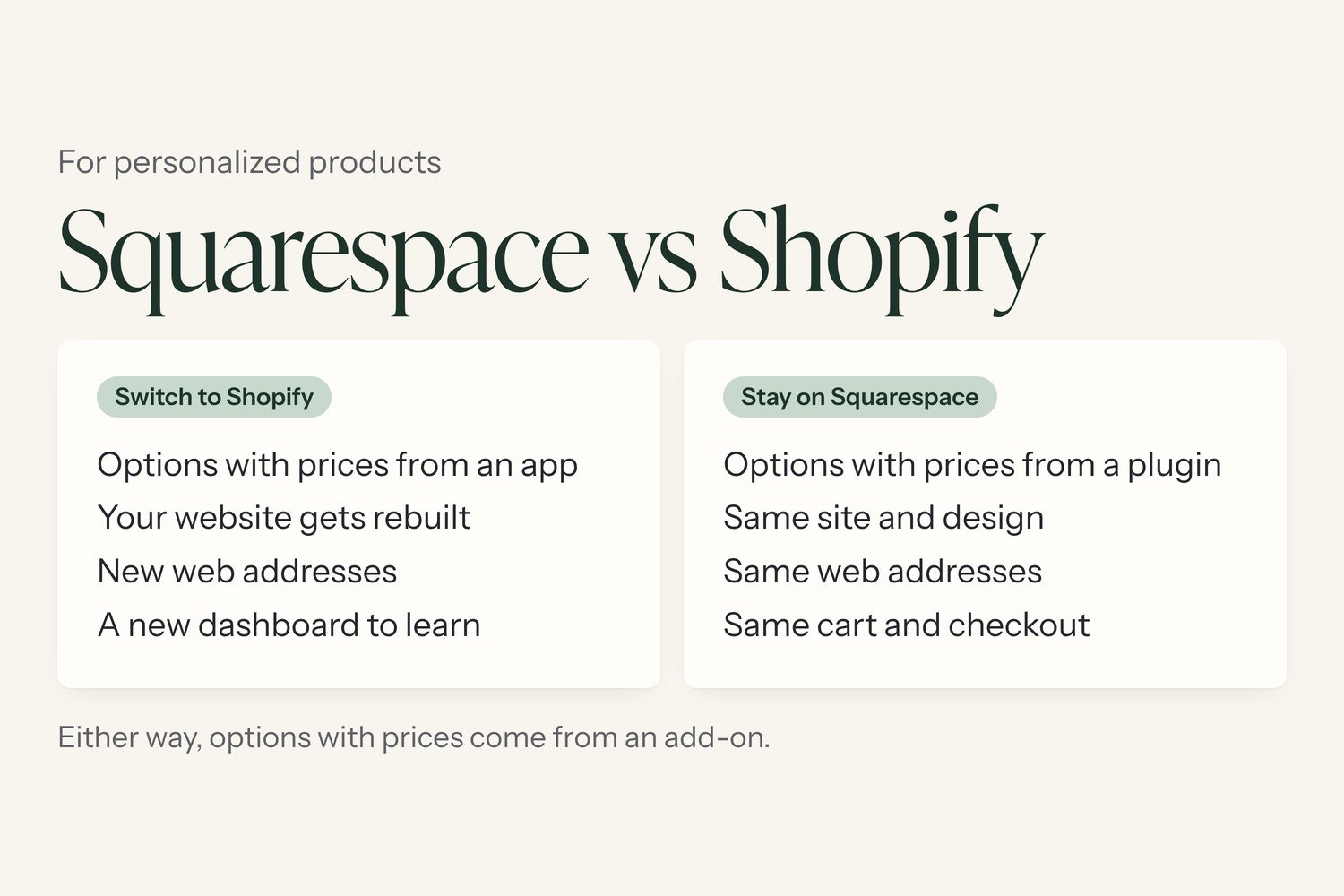
You're building a new website. Shopify is a different platform with different themes. Your products and customers can be exported. Your design can't. Your pages, your blog and your galleries all get rebuilt from scratch.
Your Google rankings are at risk. Every page gets a new web address. If the redirects are done carefully, your rankings mostly survive. If they're done in a hurry, they don't.
You're learning a new dashboard. Orders, discounts, shipping, taxes, email. Everything is in a new place.
You're still paying for an app. Shopify doesn't include priced options either. You get them from an app, on top of your Shopify plan.
And the monthly price? Honestly, it's close. I compare every plan in my Squarespace vs Shopify post, but in short, Squarespace's Core plan and Shopify's Basic plan land in the same neighborhood, and the card fees are about the same too. (Prices change often, so check Squarespace's pricing and Shopify's pricing before you decide.)
So you don't really save money by moving. The real cost is the rebuild.
3. "Can I Just Use Shopify With Squarespace?"
You can! Shopify has something called a Buy Button. It's a piece of code you paste into a Squarespace page, and customers check out through Shopify.
It works. But now you have two systems, two bills, and two places to look for orders. If the only thing you were missing is product options, that's a lot of extra moving parts.
The JuiceKit site has a full walkthrough if you want to see how it's done: How to use Shopify with Squarespace.
4. The Other Way: Get the Options Without Moving
This is the reason I built OptionKit.
My clients' shops kept asking for the same thing: an option with a price. And the honest answer used to be "fake it with variants or move to Shopify." I didn't love either one. I want my clients on Squarespace, where they can update their own site without calling a developer.
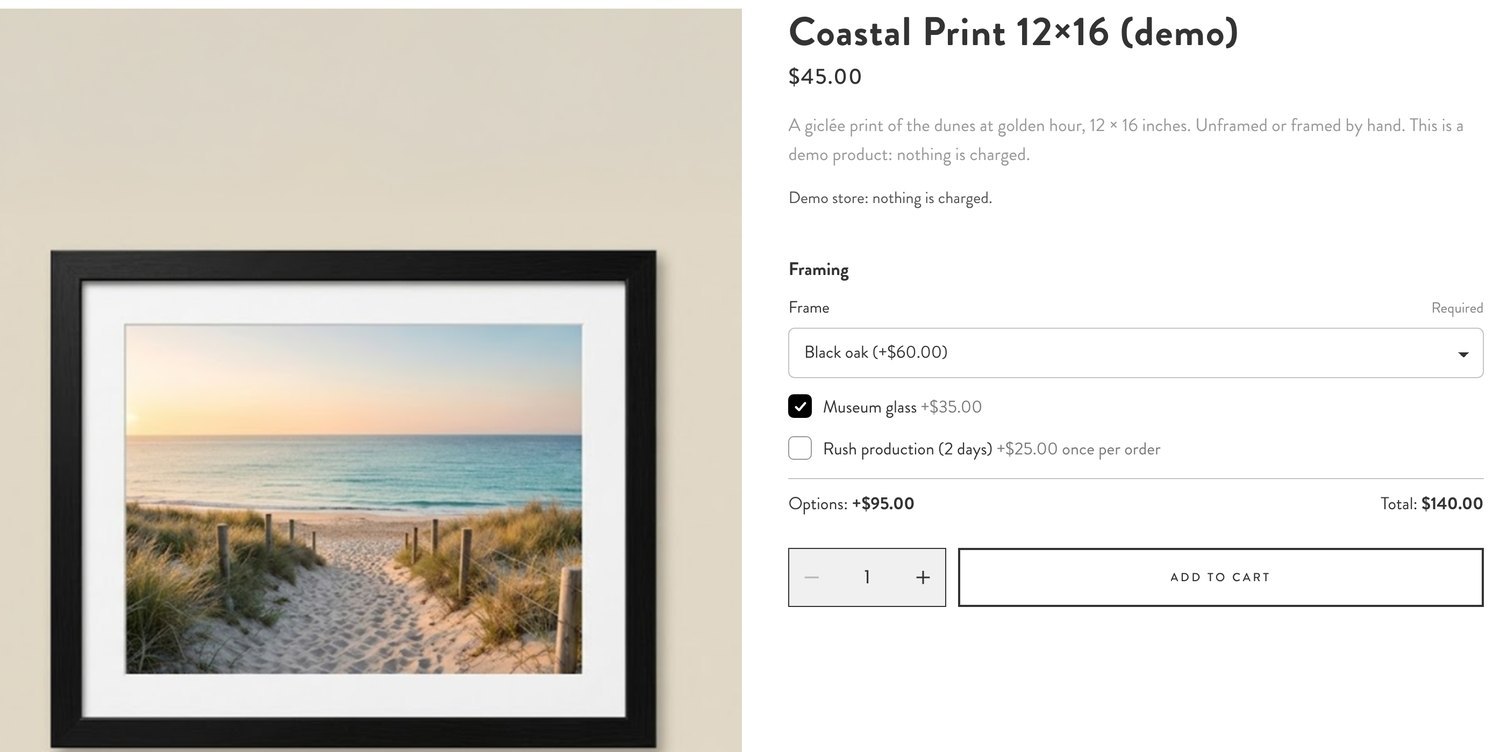
OptionKit adds the same kind of options a Shopify app would, to the Squarespace store you already have:
Checkboxes, text fields, dropdowns, buttons, and color swatches, each with a price
Text priced by the letter
Photo and file uploads
Options that show only when they apply
Everything else stays put. Same site. Same design. Same web addresses. Same Squarespace cart and checkout.
It's $12 a month or $120 a year per store, and it's free to build and test on your squarespace.com address. You can play with a live demo here.
5. Side by Side
6. When Shopify IS the Right Answer
I'm a Squarespace designer, but I'm not going to pretend Squarespace wins every time. Go with Shopify if:
You need a live preview today. Some Shopify apps show the customer's text right on the product photo. OptionKit doesn't do that yet.
You sell wholesale, with special pricing for other shops.
You have thousands of products or several locations.
You sell in person with a card reader, a lot.
If that's you, the move can be worth it.
Final Thoughts
Overall, here's how I'd decide.
If your store has truly outgrown Squarespace in several ways, switch. No hard feelings!
But if you love your Squarespace site and you're only missing one thing, product options with a price, rebuilding your entire website is like buying a new house because you need another shelf.
Add the shelf. Try OptionKit free and see if it covers what you need. JuiceKit also has a deeper comparison here: Squarespace vs Shopify for personalized products.
Not sure which way to go? Book a free consultation and I'll give you my honest opinion based on your shop.