

Squarespace doesn't have a pre-order button you can switch on. That surprises people, because pre-orders are such a common way to launch a product or find out how many to make.
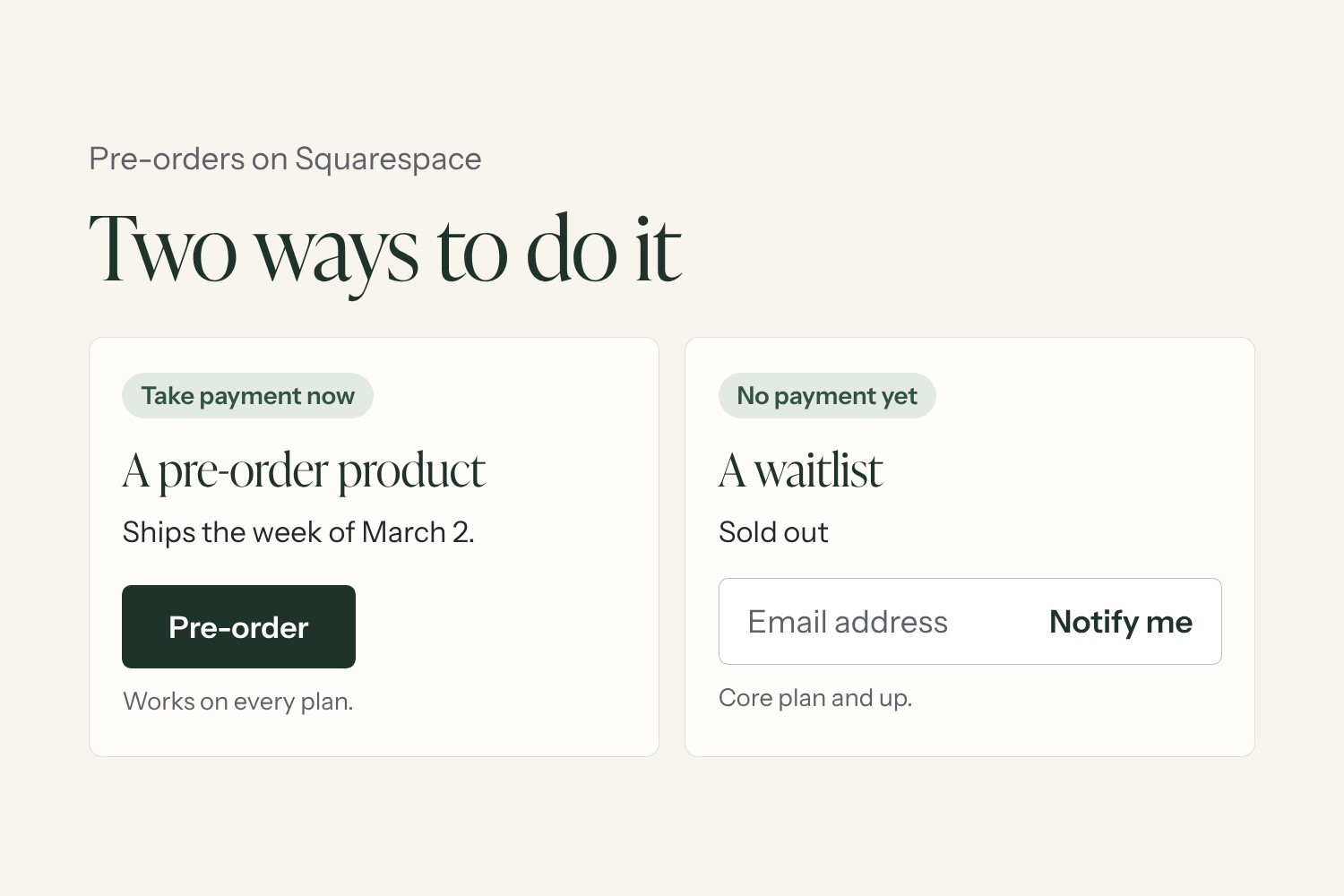
You can still take pre-orders on Squarespace. There are two ways to do it, and which one you want depends on whether you'd like the money now or later.
Can you take pre-orders on Squarespace?
Yes. Squarespace's own help center says there's no dedicated pre-order feature, and suggests two ways to do it instead:
A pre-order product. A normal product with the button changed to "Pre-order." Customers pay now, and you ship when it's ready.
A waitlist. Customers leave their email and get a message when the product is in stock. Nobody pays until then.
Way 1: Set up a pre-order product
This works on every Squarespace plan that can sell.
Add the product the way you'd add any other product.
Set the stock above zero, so it doesn't show as sold out. If you're only making 50, set it to 50. If you're using pre-orders to see how many to make, set it high.
In the description, say clearly when it will ship. "Ships the week of March 2" is better than "Ships in spring."
In the product editor, go to Details, type Pre-order in the Button text field, and click Save.
Orders come in like any other order. When the product arrives, you fulfill them from the Orders panel.
A few things make this go more smoothly:
Put "pre-order" in the product name too. Not everyone reads the description, and the button text is easy to miss.
Link your store policies. Say what happens if the date slips, and whether someone can cancel.
Think about mixed orders. If someone buys a pre-order item with something that's in stock, decide whether you'll ship twice or hold the order, and say so on the page. Your shipping options apply to pre-orders like any other order.
Change the button back. Once the product is in stock, set the button text to "Add to cart" again and update the description.
Way 2: Use a waitlist
A waitlist is the lower-risk option. You're not holding anyone's money, so a late shipment doesn't turn into refund requests.
Open the Waitlists panel. You can press / and search for it.
Open the panel's settings and turn on Allow Waitlist Signups.
Set the product's stock to zero.
Now the sold-out product page shows a box where shoppers can leave their email. When you add stock, open the waitlist, click the product, and click Email all.
What to know before you count on it:
Waitlists are on the Core, Plus and Advanced plans, not Basic. Here's what each plan costs.
They work for physical products and services.
They're all or nothing. When waitlists are on, every sold-out product gets one.
The signup box doesn't show if your variants display as buttons. Use a dropdown.
You can see the list, but you can't export it.
Which one should you use?
If you need the money to pay for the production run, use a pre-order product. If you only want to know who's interested, a waitlist is simpler.
Can you take a deposit instead of the full price?
Not automatically. Squarespace charges the full product price at checkout. One way around it is to sell the deposit as its own product, priced at the deposit amount, and send an invoice for the rest when the item is ready. Say on the page what the full price is and when the rest is due, so nobody's surprised.
Pre-orders for made-to-order products
Some pre-orders are really made-to-order: the customer picks a size, a color or a name to be printed, and you make it after they pay. Squarespace handles sizes and colors with variants. For choices that change the price, like adding a name for $8, you'll need a product option with a price. Here's my guide to adding product options in Squarespace, which covers the built-in tools and the plugin I built for the rest.
Frequently asked questions
Does Squarespace have a pre-order feature?
Not a dedicated one. You set up a normal product, change the button text to Pre-order and say when it ships. Or you turn on waitlists and email shoppers when it's in stock.
How do I change the Add to Cart button to Pre-order on Squarespace?
In the product editor, go to Details, type Pre-order in the Button text field and click Save.
Which Squarespace plans have waitlists?
Core, Plus and Advanced. The pre-order product method works on every plan that can sell.
Do customers pay right away for a pre-order?
With a pre-order product, yes. They pay at checkout like any other order. With a waitlist, nobody pays until the product is in stock and they come back to buy it.
Conclusion
Pre-orders on Squarespace come down to a product with different button text and an honest shipping date. Be specific about when it ships and keep buyers posted if that changes. If you don't need the money up front, turn on waitlists and email everyone when it's in.